
8 Steps To Increase Exposure On Google
Lee Brookes • July 7, 2021
THE PSYCHOLOGY OF GOOGLE
In our current culture, Google has transformed from a noun into a verb.
Think about it. We don’t say “search for it” — instead, we say “google it.”
This is a direct result of people finding incredibly useful information by using Google’s search engine. If you think this is an accident or coincidence, then think again. You see, Google has developed a mutually-beneficial system between their company and other businesses in the world.
Here’s why: if Google understands your business, then they can provide accurate information to their users about your business. If Google can provide accurate information to their users, then the users will continue relying on Google. If a lot of people continue using Google, then Google can make money from ads and paid services. It all comes down to creating a great experience for Google users.
GOOGLE MY BUSINESS
In order to store and show accurate information about other businesses, Google has developed a tool called Google My Business. Basically, this is our Modern Day Version of the Yellow Pages.
And, if you follow the simple steps below to upload your business’ information to the GMB tool, Google will give you the equivalent of a FREE, full page, full color ad.

SO, WHAT'S THE HOLDUP?
Your competitors are probably already taking advantage of Google My Business.
And if they aren’t, then they will be soon.
If you have any doubts, then think about your own experience researching new companies online. You’re probably more likely to purchase from the ones with
a well-established web presence, right?
They look more professional and modern, and this immediately instills a feeling of consumer trust.
By considering your business’ appearance on Google, you can easily establish an edge over your competitors.
THIS TUTORIAL IS ALL ABOUT HOW TO GAIN EXPOSURE BY DEVELOPING YOUR GOOGLE MY BUSINESS ACCOUNT
By following these eight easy steps, you can enhance your web presence and attract clients
— for free — on Google!
STEP 1 - CLAIM AND VERIFY
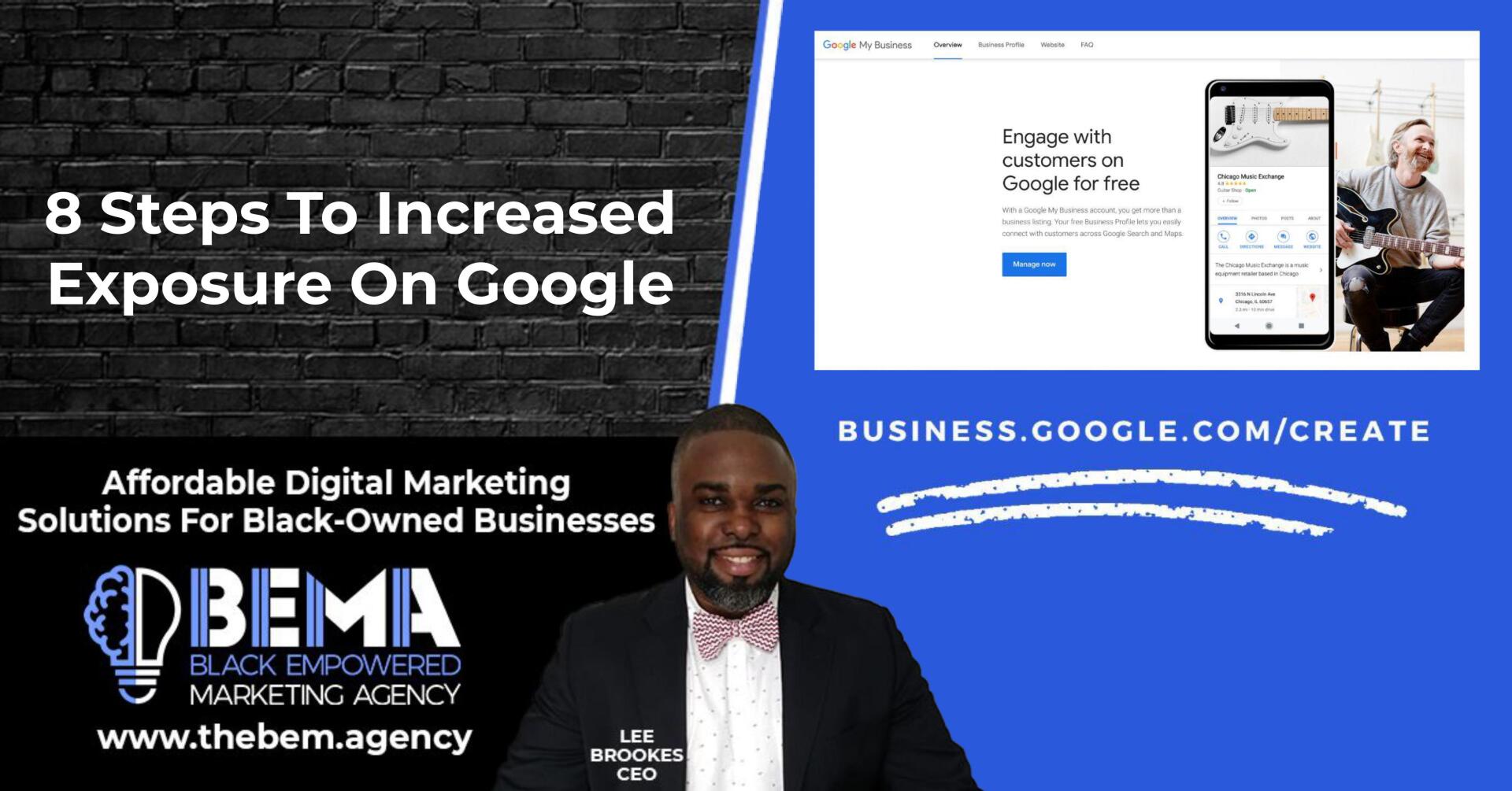
BUSINESS.GOOGLE.COM/CREATE
To get started with the Google My Business tool, you first need to create your account. It’s very simple, and you can do so by clicking this link.
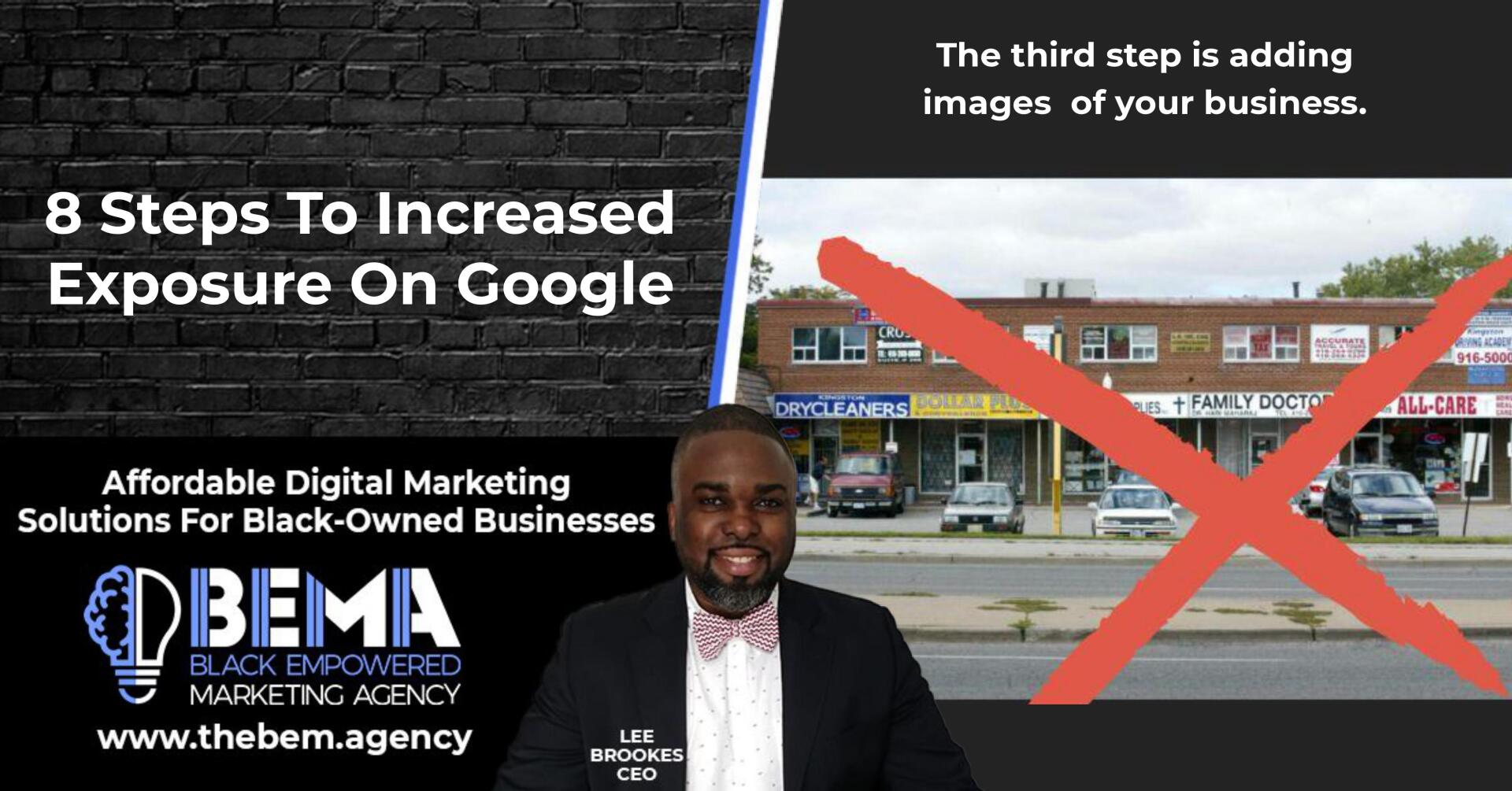
THE THIRD STEP IS ADDING IMAGES OF YOUR BUSINESS
Have you ever googled a business, and the only photo result is a vague snapshot from the Google Earth street view camera? Talk about off- putting, right?
You definitely don’t want that to be a client’s first impression of your business.
The images you upload should give potential customers a mini-tour of your company.
Place yourself in the shoes of your clients, and imagine what you would like to see before deciding to hire or buy from your company.
This can be a physical tour, where you showcase the outside and inside of your building, or it can be more of a conceptual tour, where you try to communicate the feel and mission of your company.
If you opt for the latter, then you may choose to upload photos of your staff, or photos of the products/services that your business offers.
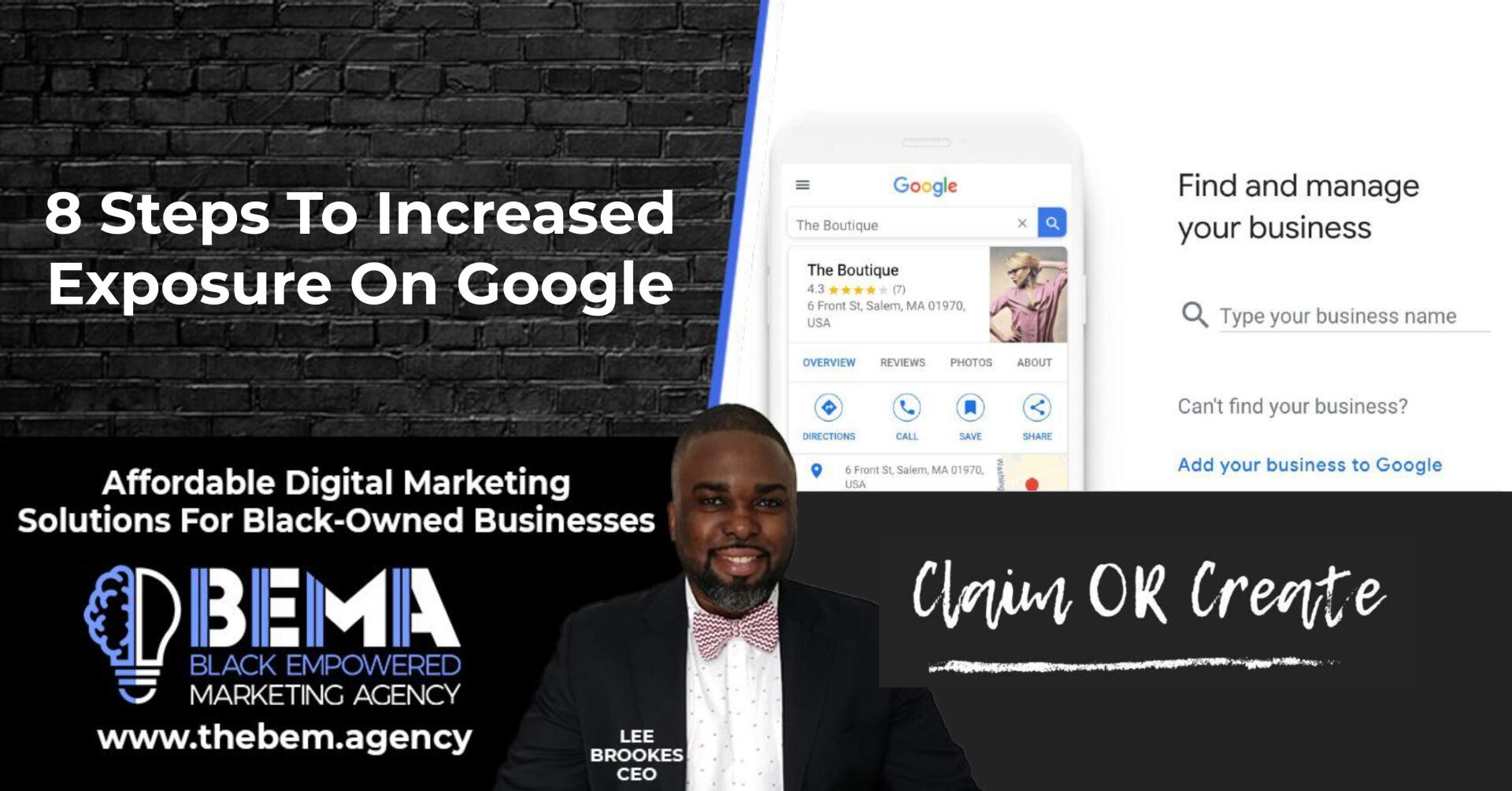
CLAIM OR CREATE
You will have the option to either claim or create your business’ listing. If your business pops up when you enter your business’ name, then select it and claim it.
If you search for your business but don’t find any results, then you will need to create a new listing.
STEP 2 - CHOOSE CATEGORIES FOR YOUR BUSINESS
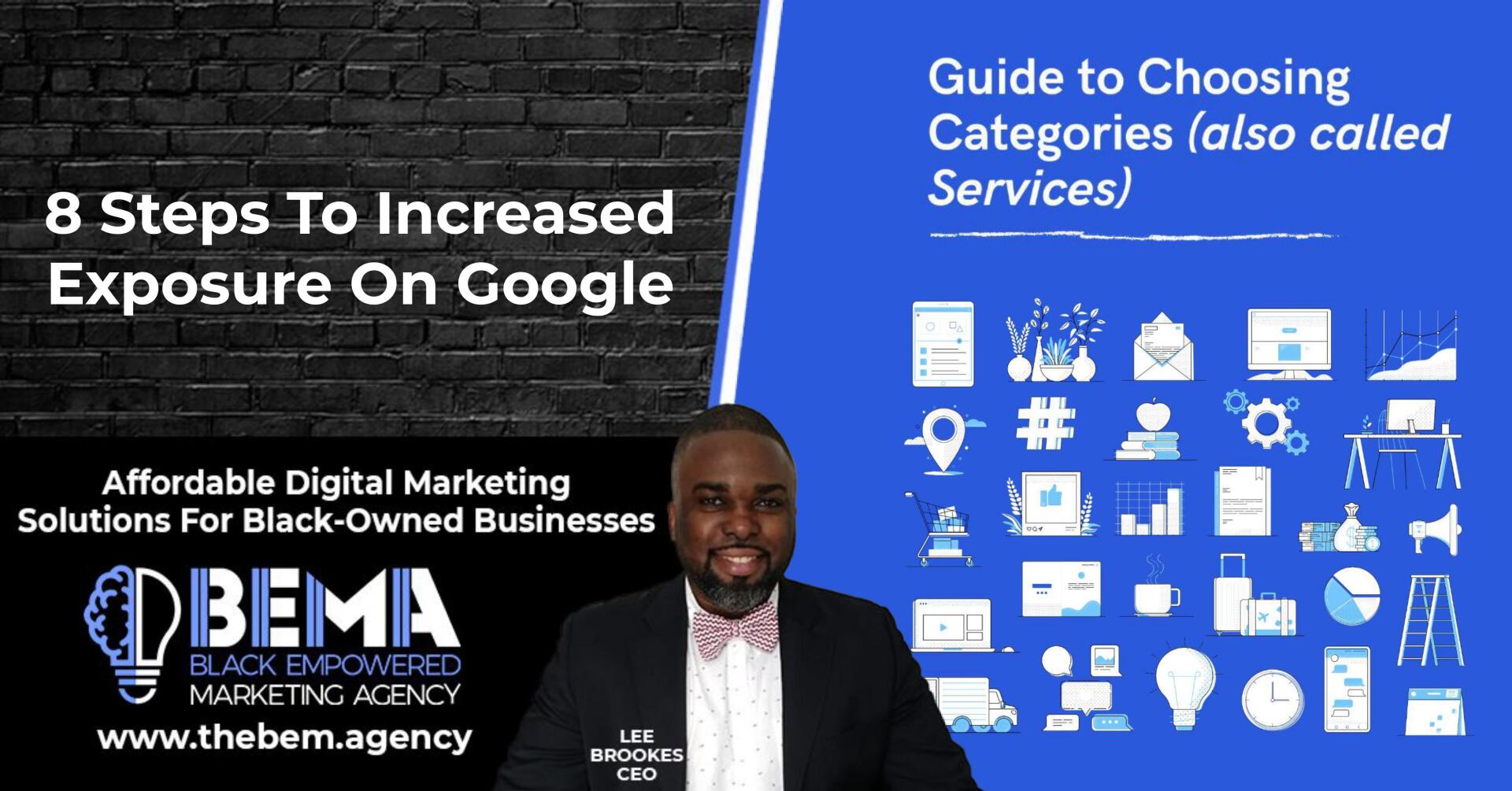
GUIDE TO CHOOSING CATEGORIES (also called Services)
After you’ve passed Google’s verification check, you will be prompted to select categories for your business.
You can choose one primary category, and up to nine secondary categories.
This may seem like a straightforward task, but really take your time choosing the best categories to describe what you do! After all, as of 2020, there are 3942 categories for you to choose from.
TIPS FOR PRIMARY CATEGORY ("Services")
The primary category for your business is given top priority in Google’s algorithm. This is the main deciding factor in whether or not your business will pop up during a user search.
Plus, isn’t it refreshing when you search for something specific and Google provides exactly what you need?
BE SPECIFIC!
Be as specific as possible when selecting your primary category.
The more specific you are, the fewer businesses you’ll be competing against.
STEP 3
ADD IMAGES OF YOUR BUSINESS
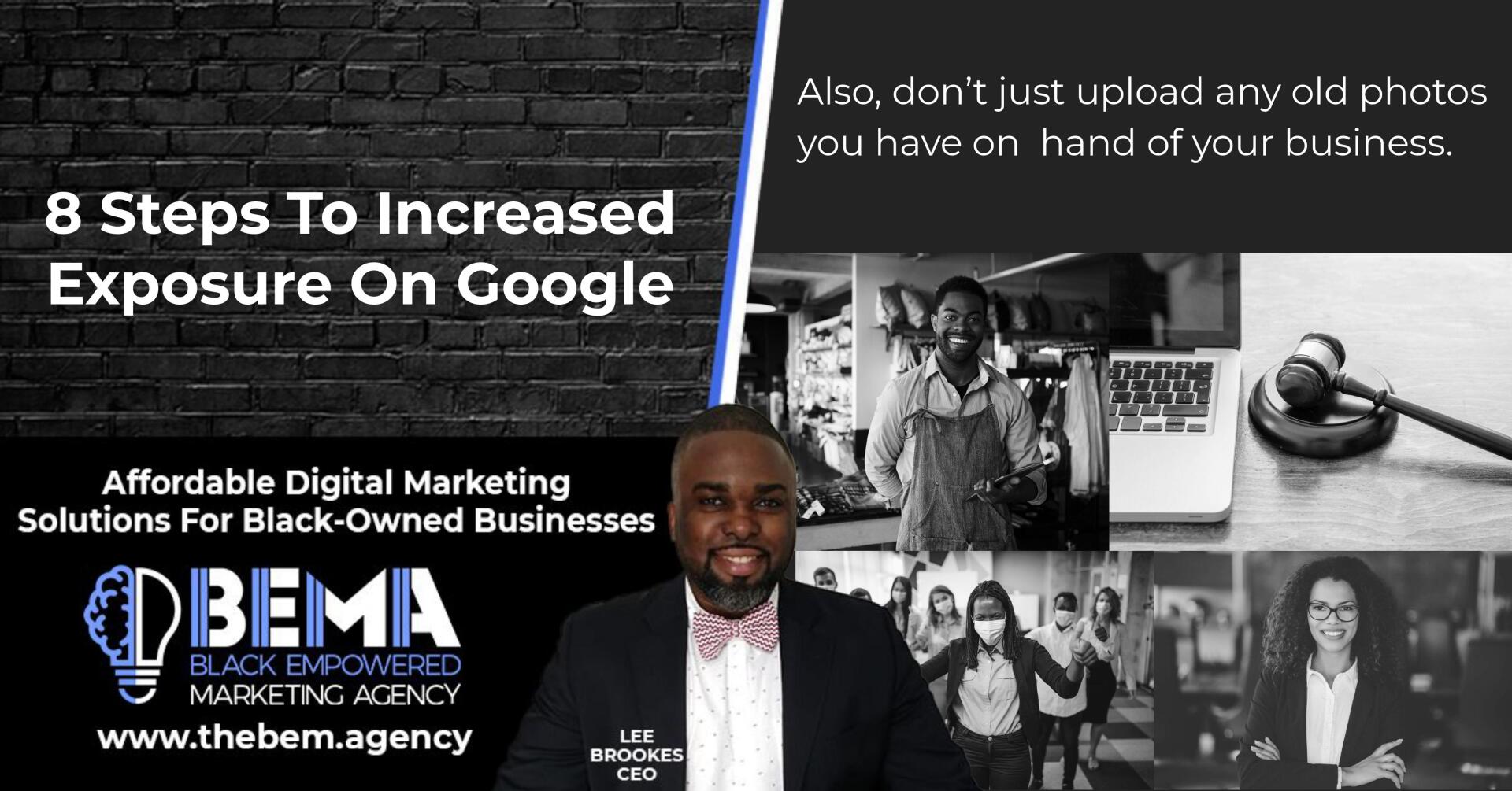
ALSO, DON'T JU ST UPLOAD ANY OLD PHOTOS YOU HAVE ON HAND OF YOUR BUSINESS
These images should be high-resolution, and professional quality. They should also reflect your business in its current form.
If you’ve redone the interior of your office, or if you’ve made a lot of new hires, then make sure the photos show your current setup.
If you don’t feel confident taking photos yourself, then you can even hire a local photographer to do this for you.
Or, you can ask a creative member of your staff to take the photos.
STEP 4 - ADD ADDRESS, PHONE NUMBERS & BASIC INFO
CONSISTENT CONTACT INFO
Next, you can add your address and phone number to your GMB listing so that potential customers can easily reach you. If your address and phone number are published in multiple places on the web (like on Facebook, Instagram, and your company site), then make sure that this contact info is the same across all of these locations. After all, you want to make certain that the people who want to buy from you can actually find you.
LOCAL NUMBER = BEST
Here’s another tip: when adding a phone number to your business, make sure it’s local. Potential customers may be confused if they think that you’re a local company, but then find an unfamiliar area code when reaching for the phone. They might assume that your business location is inaccurate, and they might even choose to do business elsewhere
BUSINESS DESCRIPTION
Take advantage of the 750 word overview that gives you the capacity to provide valuable information to your customers. Use important keywords that add supportive information for online searches.
WEBSITE ADDRESS AND APPOINTMENT LINKS
Here’s another tip: when adding a phone number to your business, make sure it’s local. Potential customers may be confused if they think that you’re a local company, but then find an unfamiliar area code when reaching for the phone. They might assume that your business location is inaccurate, and they might even choose to do business elsewhere.
STEP 5
KEEP TABS ON YOUR REVIEWS
WHAT DO YOUR REVIEW
SAY ABOUT YOU?
When you’re about to hire or buy from a business, what do you look at to make your decision? The reviews, of course! So, now that you’ve uploaded all of your business information into your GMB listing, it's time to consider your reviews.
YOU WANT TO GET AS MANY POSITIVE CLIENT
REVIEWS AS POSSIBLE
For this process, don’t worry about getting reviews specifically through Google — the search engine often scans the web and integrates reviews from other websites into your GMB listing. Just focus on the volume of reviews, not where they’re from. You can get reviews by reaching out to clients after they’ve received their product/you’ve completed the service, or you can offer incentives for clients who leave feedback.
ALSO, REMEMBER
Reply to clients who post positive reviews! This customer engagement leaves a good impression. Plus, other Google users will see that you care about providing a good experience to your customers.
STEP 6 - ADD OFFERS
TO YOUR LISTING
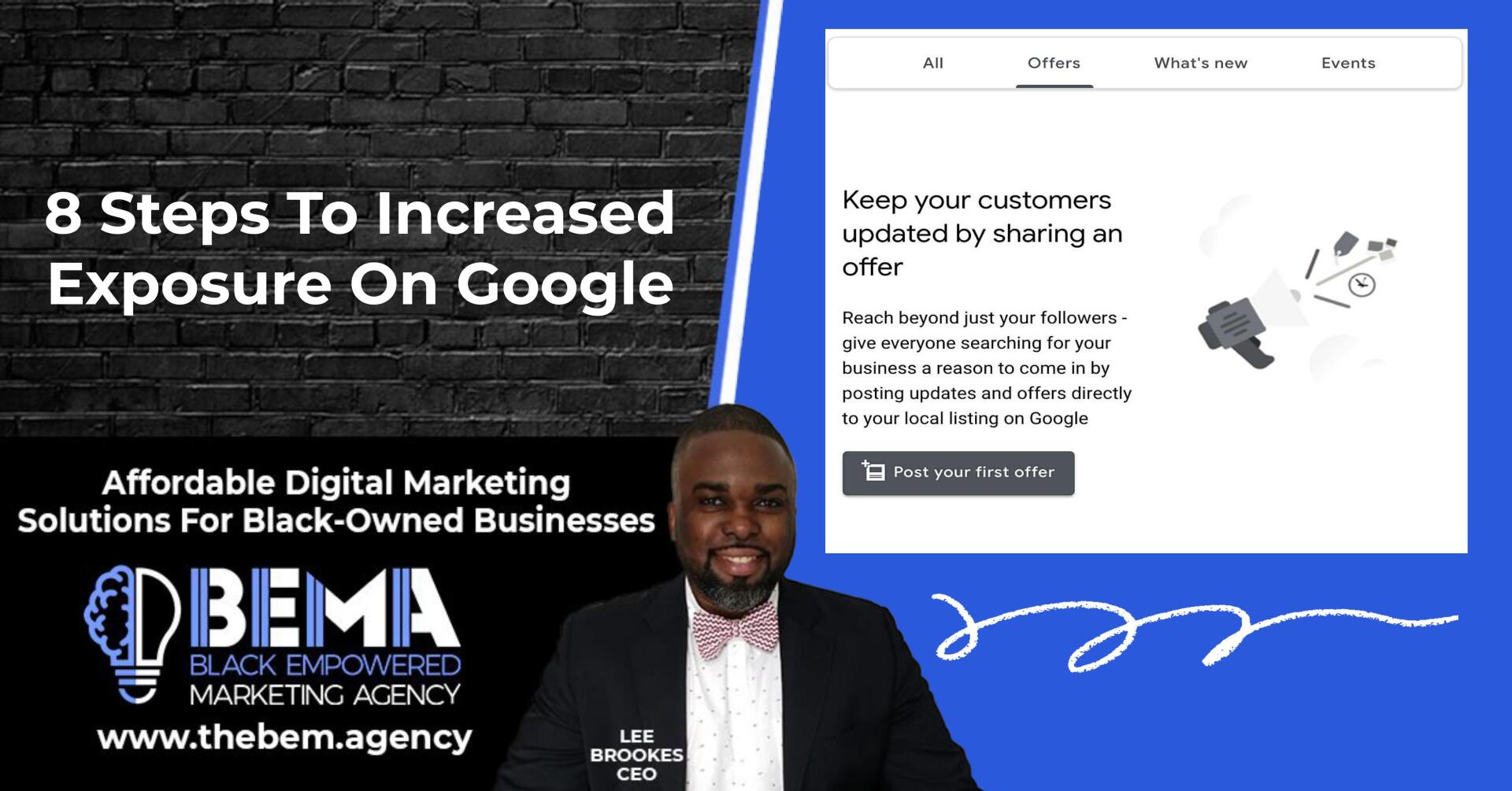
KEEP YOUR CUSTOMERS UPDATED BY SHARING AN OFFER
If you look at your GMB profile, you will see that you also have the option to add posts to your listing. One of these post options is “offers.”
With this option, you can let Google users know about special deals and discounts that they can receive through your business.
What’s more, you can program these offers with special Call-to-Action (CTA) buttons, directing Google users to your website or order page.
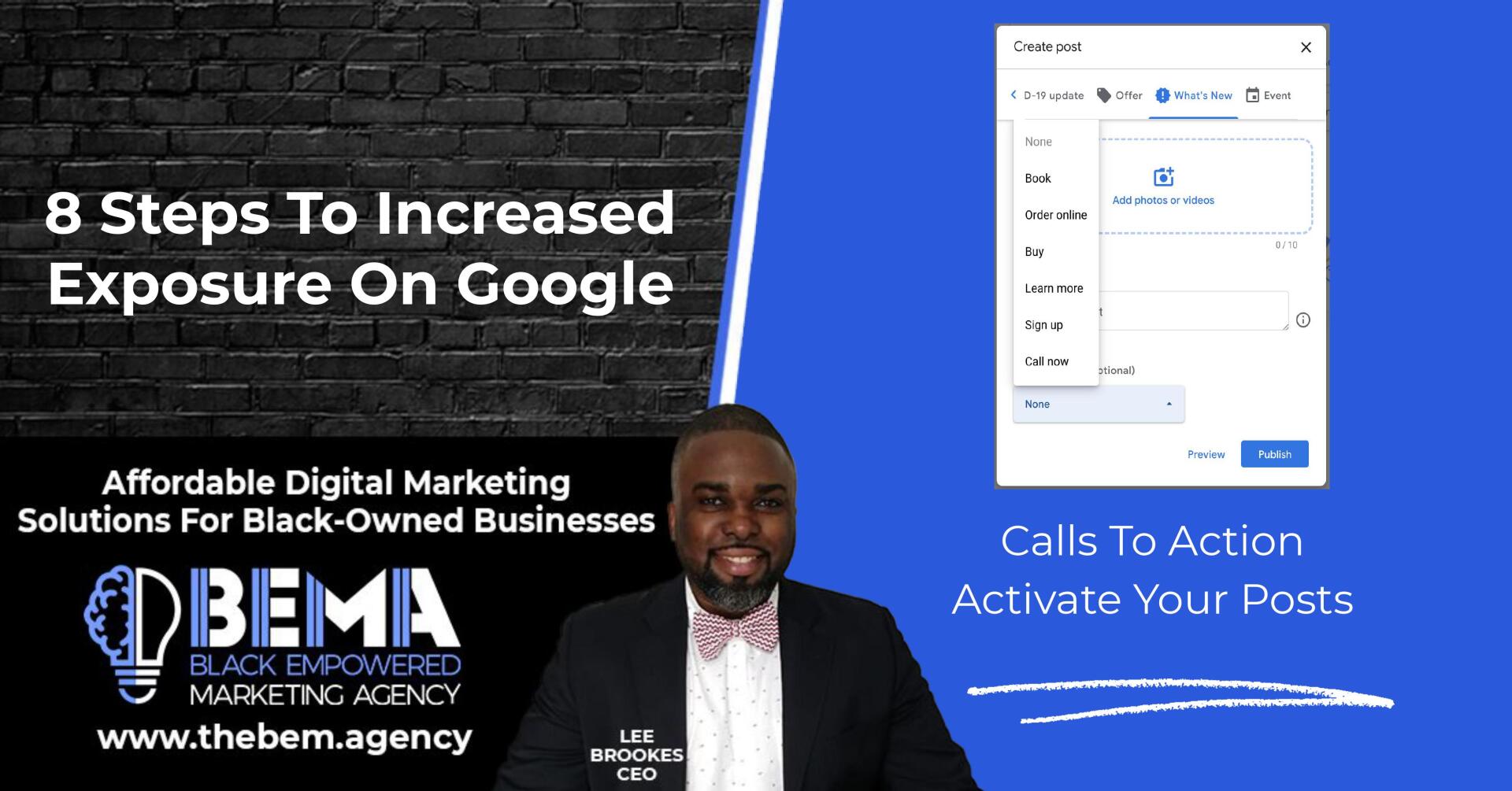
CALLS TO ACTION
ACTIVATE YOUR POSTS
You have the following options for CTA buttons: Book online, Ask online, Buy, More information, Register, and Call now.
TRACKING YOUR OFFERS
ATTENTION GRABBERS
Offers are a great way to grab Google users’ attention. Plus, in your GMB profile, you have the option to track users’ engagement with your offer.
These valuable insights allow you to gauge the success of your offer, and to create a plan for future offers.
MAKE REGULAR
POSTS TO YOUR LISTING

WHAT'S BETTER THAN
EVEN MORE FREE EXPOSURE?
1) Now that you have a solid GMB listing, the work isn’t over. You need to stay on top of your business’ listing by adding frequent posts to your listing.
2) These posts can be updates, events, offers, or new products. Each time you create a post, you have the option to add photos, videos, and CTA buttons to attract client attention, and to foster engagement.
3) Think of this as the option to add additional advertising to your listing.
TRACKING YOUR OFFERS
ATTENTION GRABBERS
Plus, frequently posting on your GMB listing increases the likelihood that your business will appear in user search results.
By having an active profile, there is more information linked to your business on the web, and therefore more material that may match your clients’ search terms.
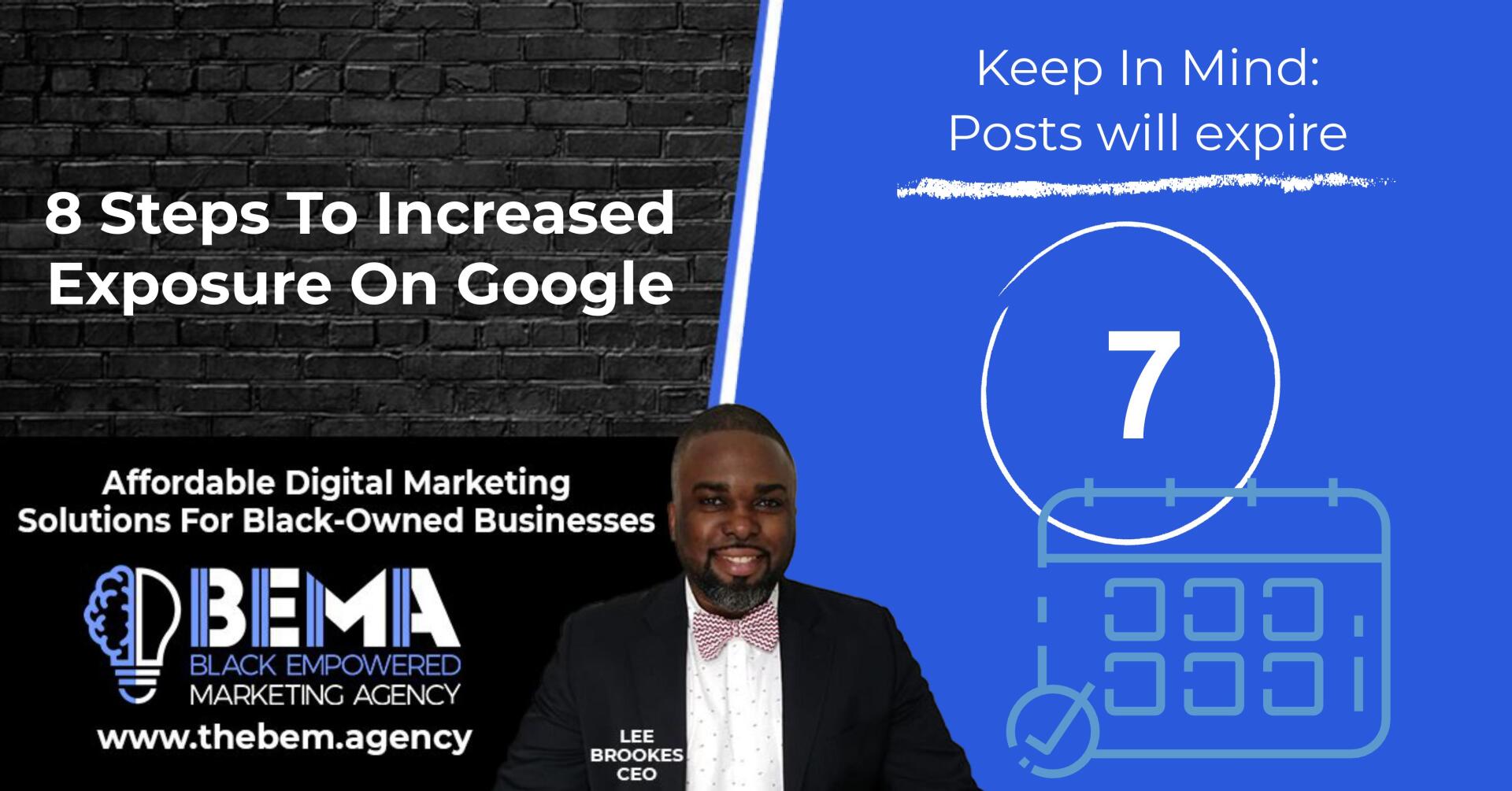
KEEP IN MIND: POST WILL EXPIRE
Bear in mind that posts to your GMB listing are automatically removed from the first view of your listing after seven days. This is why you want to log into your account frequently, and add new posts to continue promoting your business!
STEP 8 - SETUP MESSAGING
A DIRECT LEAD CONNECTION
AT YOUR FINGERTIPS
By setting up GMB messaging, customers can contact you directly through your GMB listing. This increases convenience for your customers, as they are far more likely to contact you if all they have to do is press a little button next to their search results.
Sounds pretty good for your business, right?
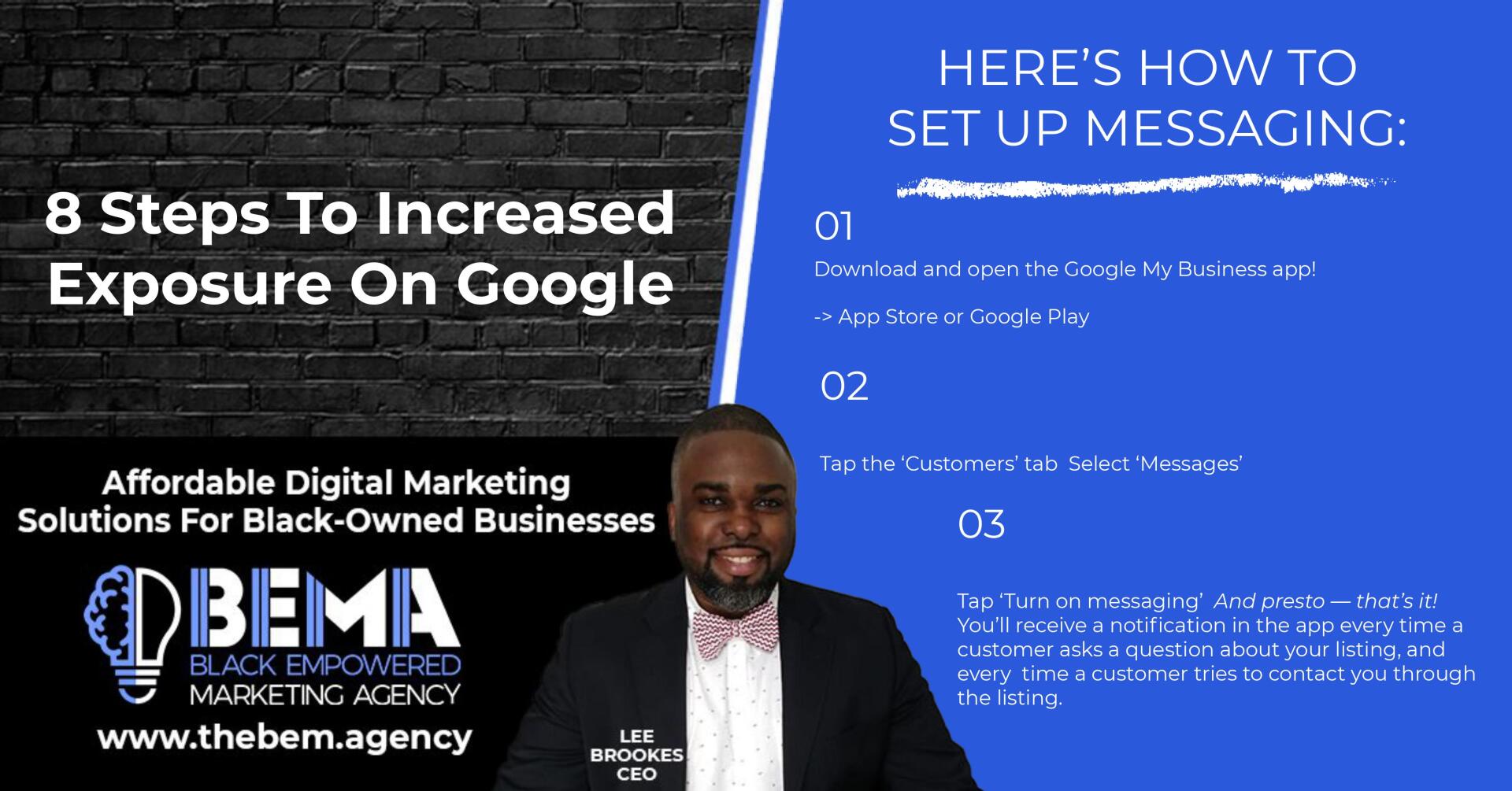
HERE'S HOW TO SET UP MESSAGING:
01 Download and open the Google My Business app!
-> App Store or Google Play
02 Tap the ‘Customers’ tab Select ‘Messages’
03 Tap ‘Turn on messaging’ And presto — that’s it!
You’ll receive a notification in the app every time a customer asks a question about your listing, and every time a customer tries to contact you through the listing.
HOW WE HELP OUR CLIENTS AT
BEMA
Black Empowered Marketing Agency
Highlights of Your FREE Digital Marketing Blueprint
Discover What The Business Limiting Issues Are With Your Website and Overall Marketing Strategy That Could Be Keeping Your Black-Owned Business From Achieving It's Optimal Results.
Audit of the Business Limiting Issues of Your Law Firm Website:
Organic Traffic Analysis
Paid Traffic Analysis
Backlinks Analysis
Local Traffic Analysis
Fill Out Our Form Below To Receive Your FREE Digital Marketing Blueprint
THE BEMA SUCCESS BLOG

The Evolving Landscape of Caregiver and Client Acquisition Moving Beyond Traditional Outreach to Build True Community Trust The journey of running a home care agency is anchored in compassion, reliability, and deep community responsibility. Whether your agency supports seniors who wish to age in place, individuals managing chronic conditions, or families seeking dependable assistance for loved ones with disabilities, your operational foundation rests entirely on human connection. However, the marketplace has fundamentally shifted over recent years. Traditional methods of finding clients, such as relying solely on word of mouth or standard print directories, are no longer sufficient to sustain long-term growth. Today, when a family encounters a sudden care crisis, their first instinct is to turn to the digital landscape. They search for immediate, reliable answers to complex questions about safety, compliance, and daily support. If your agency does not feature prominently in these digital spaces, or if your messaging fails to establish credibility immediately, those families will turn to providers who do. Developing highly tailored Home Care Marketing Solutions is essential to bridge the gap between your exceptional care standards and the families who need them most. Elite BEMA, the Black Empowered Marketing Agency, builds these powerful digital systems to help agencies stand out, cultivate authentic relationships, and scale predictably. 7 Overlooked Strategies within Home Care Marketing Solutions Many healthcare providers operate under the assumption that standard corporate marketing tactics apply universally to home care. This misconception often results in high advertising expenditures with minimal real-world return. Home care requires a unique framework that addresses both the emotional weight of the purchasing decision and the distinct cultural nuances of the communities being served. To help your agency expand its reach, fill its schedules, and stabilize its workforce, look at these seven underutilized marketing methods. 1. Capitalizing on Micro-Moments of Family Care Decisions Most family members do not seek out home care services until a specific event triggers the necessity, such as a hospital discharge, a progressive medical diagnosis, or a sudden realization during a holiday visit that an aging parent requires daily help. Highly effective marketing platforms anticipate these precise micro-moments. By structuring your online content around immediate crisis solutions rather than generic corporate descriptions, you align your brand with the family's exact point of need. This involves creating dedicated resources that address immediate safety concerns and outline concrete options for fast, professional intervention. 2. Implementing Culturally Aligned and Authentic Messaging For Black-owned home care agencies and those serving diverse demographic areas, representation and cultural alignment are primary drivers of consumer choice. Families want to know that the professionals entering their homes understand their traditions, values, and community dynamics. Elite BEMA specializes in crafting culturally resonant campaigns that reflect genuine community experiences. By avoiding generic stock imagery and corporate jargon, and instead emphasizing authentic connection, your brand establishes deep trust from the very first online interaction. 3. Deploying Dual-Purpose Caregiver Recruitment Funnels A major barrier to growth for modern home care providers is not a lack of potential clients, but a shortage of qualified, reliable staff. Traditional job boards frequently deliver high volumes of unqualified candidates, leading to administrative exhaustion. Advanced marketing systems treat recruitment with the same statistical precision as client acquisition. By building specialized digital funnels that highlight your agency's core values, positive workplace culture, and professional support, you attract high-quality caregivers who fit your organizational standards, thereby minimizing staffing gaps. 4. Maximizing Local Search Visibility Through Hyper-Specific Structured Data When a consumer types a query regarding local elder care into a search engine, the results are governed by complex geographical algorithms. Simply having a basic website is no longer sufficient. To achieve prominent placement on local search results and map applications, agencies must implement hyper-specific backend optimization. This includes updating local business registries, ensuring complete consistency in contact details across all platforms, and applying advanced schema markup that clearly communicates your service areas to search engines, outperforming competitors who rely on generalized optimization. 5. Transitioning to Frictionless, High-Converting Landing Pages Many corporate web pages resemble digital brochures, overwhelming visitors with walls of clinical text and complex navigation menus. When a stressed family member visits your site, they need a straightforward path to find answers and take action. High-converting design replaces complex layouts with clean, mobile-responsive interfaces that guide the user toward a single, clear outcome, such as scheduling a phone conversation or requesting a home safety assessment. Removing administrative obstacles from your website directly increases the percentage of visitors who become active inquiries. 6. Utilizing AI-Driven Real-Time Campaign Optimization The speed of modern digital advertising requires continuous oversight to avoid wasted expenditure. Utilizing advanced artificial intelligence tools allows agencies to monitor and adjust ad placements, audience targeting, and keyword bids in real time based on performance data. This ensures that your financial resources are automatically directed toward the search terms and demographics generating the highest-quality inquiries. This data-driven framework removes the guesswork from your campaigns, ensuring measurable business growth and an optimized return on investment. 7. Cultivating Authority Through Value-Driven Micro-Content Building a strong brand presence requires consistent engagement outside of direct sales pitches. By sharing accessible, educational micro-content on social media platforms, your agency can address common caregiving hurdles, explain public aid navigation, or share tips for managing mobility limitations. This proactive community involvement establishes your organization as a helpful, authoritative resource long before a family ever needs to sign a formal care contract. The Power of Smarter System Integration When these specialized tactics are integrated into a single, cohesive system, they create a powerful engine for growth. Rather than treating local visibility, recruitment, and web design as isolated tasks, successful Home Care Marketing Solutions unify these elements to protect your brand, engage your workforce, and secure your market position. Empowering Your Agency to Scale with Confidence Partnering with BEMA for Data-Driven, Culturally Resonant Growth Navigating the complexities of healthcare marketing requires a partner who genuinely understands the operational realities of your industry. Generic strategies that promise immediate results without addressing the core elements of trust and compassion often fail to build lasting community relationships. To scale your agency predictably, you need a system that continuously attracts qualified client inquiries, simplifies caregiver recruitment, and elevates your local brand presence. Elite BEMA delivers specialized, AI-powered digital solutions designed specifically for the unique demands of home care agencies. We are fully committed to empowering Black-owned businesses and community-centered care providers with authentic, transparent, and highly effective marketing structures. Our data-backed systems remove the uncertainty from your promotional efforts, allowing you to focus on your primary mission: delivering exceptional, dignified care to the families who depend on you. Book Your Consultation with BEMA Do not let your agency remain hidden behind competitors who simply have a louder digital presence. Contact BEMA today to discuss your organizational goals, evaluate your current market standing, and learn how our custom Home Care Marketing Solutions can transform your business. Schedule your free consultation now to establish a predictable, trusted path toward long-term growth.

How to Build Credibility, Attract Families, and Create Consistent Client Acquisition in a Competitive Market. Senior care is one of the most emotionally driven sectors in healthcare. Families are not simply purchasing a service—they are making deeply personal decisions about the well-being, safety, and dignity of their loved ones. This makes marketing for senior care agencies fundamentally different from other industries. It requires empathy, trust, transparency, and a consistent presence across multiple channels. In today’s digital-first environment, senior care agencies that rely solely on referrals or outdated marketing strategies risk falling behind. The agencies that experience consistent growth are those that implement structured, trust-driven marketing systems designed to attract, educate, and convert families at every stage of the decision-making journey. This blog outlines a strategic framework for senior care agency marketing that focuses on building credibility, generating qualified leads, and increasing long-term client retention. Understanding the Decision-Making Journey. Marketing to Families, Not Just Clients. Unlike many services, the primary decision-makers in senior care are often family members rather than the seniors themselves. Adult children, caregivers, and relatives are actively researching options, comparing agencies, and seeking reassurance before making a commitment. This means your marketing must speak directly to their concerns: Safety and reliability of caregivers Quality of care and experience Emotional well-being of their loved one Transparency in pricing and services Your messaging should consistently address these concerns across your website, ads, and content. When families feel understood, they are far more likely to trust your agency. Building a Credibility-First Brand. Establishing Trust Before the First Call. Trust is the foundation of senior care marketing. Without it, even the best services will struggle to convert leads into clients. Your brand should communicate professionalism and compassion through: A clean, modern website design Professional caregiver imagery and real team photos Clear descriptions of services and care processes Certifications, accreditations, and compliance standards Strong testimonials from satisfied families Transparency is key. Clearly outlining what families can expect reduces uncertainty and increases confidence in your services. Local Search Optimization for Senior Care. Becoming the First Choice in Your Area. When families search for care options, they often use location-based queries such as “senior care agency near me” or “in-home care services nearby.” To dominate local search results, your agency must focus on: Optimizing your Google Business Profile with accurate details Posting regular updates about services and community involvement Collecting and managing positive reviews Ensuring consistent business information across directories Creating service pages targeting specific locations Visibility at the local level ensures that your agency is discovered when families are actively seeking care solutions. Educational Content That Builds Confidence. Guiding Families Through Complex Decisions. Families often feel overwhelmed when navigating senior care options. Educational content helps position your agency as a trusted advisor rather than just a service provider. Effective content topics include: “How to Choose the Right Senior Care Agency” “Signs Your Loved One May Need In-Home Care” “What to Expect From Professional Caregivers” “Understanding the Cost of Senior Care Services” Video content, blog posts, and downloadable guides can all be used to educate and nurture potential clients. When families view your agency as a source of reliable information, they are more likely to choose your services. Paid Advertising for Lead Generation. Reaching Families at the Right Time. Paid advertising allows senior care agencies to reach families who are actively searching for solutions or beginning their research journey. High-performing ad strategies include: Google Ads targeting high-intent keywords Facebook and Instagram ads focused on awareness and engagement Retargeting campaigns to re-engage website visitors Ad messaging should focus on emotional reassurance and practical benefits, such as: “Compassionate In-Home Care for Your Loved Ones – Trusted by Families in Your Community.” Landing pages should be simple, clear, and focused on conversion, with strong calls-to-action like scheduling a consultation or requesting more information. Leveraging Testimonials and Case Stories. Turning Experiences Into Trust Signals. In senior care, social proof is one of the most powerful marketing tools. Families want to know that others have had positive experiences with your agency. Effective strategies include: Written testimonials highlighting caregiver quality Video testimonials from families Case stories that show the impact of your services Reviews prominently displayed on your website Real stories create emotional connections and reinforce your credibility. Optimizing the Inquiry and Intake Process. Converting Leads Into Clients. Generating leads is only part of the equation. Your intake process must be designed to convert inquiries into clients efficiently. Key elements include: Prompt response to inquiries via phone, email, or chat Compassionate and knowledgeable staff handling calls Clear explanation of services and next steps Easy scheduling for consultations or assessments The faster and more effectively you respond, the higher your conversion rate will be. Retention and Relationship Building. Creating Long-Term Client Loyalty. Senior care is often an ongoing service, making client retention critical for sustainable growth. Retention strategies include: Regular check-ins with families Personalized care plans Consistent caregiver assignments Feedback collection and continuous improvement Strong relationships lead to longer client lifecycles and increased referrals. Community Engagement and Partnerships. Expanding Your Local Influence. Senior care agencies benefit greatly from strong community connections. Opportunities include: Partnering with hospitals and healthcare providers Collaborating with senior centers and community organizations Hosting informational workshops for families Participating in local events and outreach programs These efforts not only build brand awareness but also establish your agency as a trusted community resource. Technology and Automation for Efficiency. Enhancing Operations and Marketing Performance. Modern senior care agencies are leveraging technology to streamline both marketing and operations. Examples include: CRM systems to manage leads and client relationships Automated follow-up emails and SMS messages Online booking and consultation scheduling tools Analytics platforms to track marketing performance Automation ensures consistency and allows your team to focus on delivering high-quality care. Final Thoughts. Creating a Sustainable Growth Strategy for Senior Care Agencies. Senior care agency marketing is not about aggressive sales tactics—it is about building trust, providing value, and guiding families through one of the most important decisions they will make. By implementing a comprehensive marketing system that includes branding, local SEO, content creation, paid advertising, and relationship management, your agency can achieve consistent and predictable growth. The agencies that succeed are those that combine compassion with strategy, creating experiences that resonate with families and inspire confidence. Ready to Grow Your Senior Care Agency? At Elite BEMA (Black Empowered Marketing Agency), we specialize in AI-powered marketing systems designed specifically for senior care agencies.

Advanced Marketing Systems to Increase Bookings, Case Value, and Long-Term Patient Loyalty. Dental clinics operate in one of the most competitive and trust-sensitive industries in healthcare. Patients are not only evaluating your clinical expertise—they are also judging your credibility, convenience, pricing transparency, and overall patient experience before they ever step into your office. In today’s digital landscape, dentist marketing must go beyond basic advertising and evolve into a complete patient acquisition and retention system. This blog explores how modern dental clinics can implement strategic marketing systems to consistently attract new patients, increase high-value treatments, and build a brand that dominates locally. Crafting a Premium Dental Brand Identity. Standing Out in a Saturated Market. Most dental clinics market themselves with generic messaging like “family dentistry” or “quality dental care.” The problem is that this positioning blends in with every other clinic in the area. To stand out, your clinic must develop a premium brand identity that communicates specialization and value. Consider positioning your clinic around: Cosmetic dentistry transformations Invisalign and smile design Emergency dental care Family-focused care with flexible scheduling Fear-free or sedation dentistry Your branding should reflect this positioning across your website, social media, and patient communications. High-end visuals, professional photography, and consistent messaging help build immediate trust and perceived value. High-Intent Search Marketing. Capturing Patients Ready to Book Now. Dental patients often search with urgency. Queries like “emergency dentist near me” or “teeth whitening clinic” indicate high intent. To capture this demand, your clinic must invest in search-focused marketing strategies: Optimized website pages for each core service Strong on-page SEO with location-based keywords Google Business Profile optimization with frequent updates Consistent positive reviews Ranking at the top of search results ensures your clinic becomes the first option patients consider when they need immediate care. The goal is visibility at the exact moment patients are ready to take action. Conversion-Focused Paid Advertising. Turning Clicks Into Booked Appointments. Paid advertising allows dental clinics to generate predictable patient flow. However, most clinics fail because they send traffic to generic websites instead of optimized conversion funnels. Effective dental ad campaigns include: Service-specific landing pages (e.g., implants, veneers, cleanings) Clear offers (free consultation, discounted whitening, new patient specials) Strong headlines addressing patient pain points Online booking integration For example, instead of running a broad ad, a high-converting campaign might focus on: “Get a Brighter Smile in Just One Visit – Professional Teeth Whitening Available Now.” Retargeting ads should also be used to follow up with visitors who didn’t book immediately, increasing overall conversion rates. Leveraging Visual Content for Dental Marketing. Showcasing Results That Build Trust. Dentistry is highly visual. Patients want to see results before they commit to treatment. This makes visual content one of the most powerful marketing tools for dental clinics. Effective content strategies include: Before-and-after smile transformations Short-form video explanations of procedures Patient testimonials captured on video Educational reels about oral health tips Platforms like Instagram, TikTok, and YouTube are ideal for showcasing these visuals. Consistent posting builds familiarity and positions your clinic as an authority. When patients repeatedly see your results, they are more likely to choose your clinic over competitors. Reputation Management Systems. Turning Patient Satisfaction Into Growth. Online reviews are one of the most influential factors in patient decision-making. A strong reputation can significantly increase your booking rate. To build and maintain a powerful online presence: Request reviews immediately after appointments Use automated systems to send review reminders Respond to all reviews professionally Highlight positive reviews on your website and social media A clinic with a high volume of positive reviews builds instant credibility. Patients feel more confident choosing a provider that others trust. Optimizing the Patient Experience Funnel. From First Click to Loyal Patient. Marketing does not end when a patient books an appointment. The entire experience—from the first interaction to post-treatment follow-up—must be optimized. Key elements of a strong patient funnel include: Easy online scheduling with minimal friction Clear communication before appointments Friendly and efficient in-office experience Post-visit follow-ups and care instructions When patients have a seamless experience, they are more likely to return and refer others. Every touchpoint is an opportunity to strengthen your brand. Increasing Case Value Through Strategic Marketing. Promoting High-Ticket Services Effectively. Not all dental services generate equal revenue. High-value treatments such as implants, veneers, and orthodontics significantly increase clinic profitability. Marketing strategies should highlight these services through: Dedicated landing pages Educational content explaining benefits Financing options to reduce cost barriers Testimonials from patients who completed treatments Patients often need education before committing to higher-cost procedures. Providing clear, transparent information builds confidence and increases acceptance rates. Email and SMS Marketing for Retention. Staying Top-of-Mind With Patients. Retention marketing ensures that your clinic maintains long-term relationships with patients. Effective strategies include: Appointment reminders via SMS Email newsletters with dental tips and promotions Recall campaigns for routine check-ups Special offers for returning patients Consistent communication keeps your clinic top-of-mind and encourages repeat visits. Local Partnerships and Referral Networks. Expanding Your Reach Beyond Digital. While digital marketing is essential, local partnerships can significantly boost patient acquisition. Consider collaborating with: Orthodontists and specialists Medical clinics and healthcare providers Schools and community organizations Corporate offices offering employee wellness programs These partnerships create referral pipelines that generate consistent patient flow. AI-Driven Marketing Systems for Dental Clinics. Automating Growth and Improving Efficiency. Modern dental clinics are leveraging AI and automation to streamline their marketing and operations. Key tools include: AI chatbots to handle inquiries and bookings Automated follow-up systems for leads and patients Data analytics to track campaign performance Predictive systems to optimize ad spend Automation allows clinics to scale without increasing administrative workload. Final Thoughts. Building a Predictable Growth Engine for Your Dental Practice. Dentist marketing is no longer about isolated tactics. It requires a fully integrated system that combines branding, advertising, content creation, and patient experience optimization. Clinics that implement these systems gain a competitive advantage, attract higher-quality patients, and increase long-term profitability. Growth becomes predictable when your marketing is structured, strategic, and consistent. Ready to Scale Your Dental Clinic? At Elite BEMA (Black Empowered Marketing Agency), we specialize in AI-powered marketing systems designed for dental clinics that want to grow faster and smarter.

Designing a Predictable System to Generate Leads, Convert Families, and Scale Sustainable Growth. Home care agencies operate in a highly competitive and emotionally sensitive market where trust, speed, and visibility determine success. Families searching for in-home care are often under pressure, dealing with urgent health concerns, time constraints, and emotional stress. This creates a unique opportunity for agencies that have a structured marketing system in place to capture attention, build trust quickly, and convert inquiries into long-term clients. Unlike traditional marketing approaches that rely heavily on referrals, modern home care agency marketing must be engineered as a complete pipeline—from awareness to conversion to retention. Agencies that implement these systems gain a consistent flow of qualified leads and position themselves as the preferred choice in their local market. This blog outlines how to design a high-performance marketing pipeline specifically for home care agencies. Building a Clear Service Positioning Strategy. Defining Exactly Who You Serve and How You Help. One of the biggest mistakes home care agencies make is trying to appeal to everyone. Generic messaging like “we provide quality home care services” fails to stand out and does not resonate with specific audiences. Instead, your agency should clearly define its core service focus. This could include: Post-hospital recovery care Dementia and Alzheimer’s support Companion care for seniors living alone 24-hour in-home care services Disability support services When your messaging is specific, it becomes more relevant and compelling to families searching for those exact services. Your website, ads, and content should consistently reflect this positioning, ensuring clarity at every touchpoint. Creating a Multi-Channel Lead Generation System. Ensuring Families Can Find You Everywhere. Families searching for home care services use multiple platforms during their decision-making process. Your agency must maintain visibility across all key channels to capture demand effectively. Core lead generation channels include: Google Search (for high-intent inquiries) Social media platforms like Facebook and Instagram Local directories and healthcare listings Community referrals and partnerships The goal is to create multiple entry points into your pipeline so that no opportunity is missed. Consistency across these channels strengthens your brand and reinforces trust. Designing High-Converting Landing Pages. Turning Traffic Into Qualified Inquiries. Driving traffic to your website is only effective if your pages are designed to convert visitors into leads. A high-performing home care landing page should include: A clear and empathetic headline addressing family concerns Simple explanation of services and benefits Trust signals such as testimonials and certifications A strong call-to-action (schedule a consultation, request information) Easy contact options including phone, form, and chat Clarity and simplicity are essential. Families should immediately understand how your agency can help and what steps to take next. Implementing Speed-to-Lead Systems. Responding Faster Than Your Competitors. In home care, timing is critical. Families often contact multiple agencies and choose the one that responds first and most effectively. To improve response times, agencies should implement: Automated email and SMS responses for inquiries Dedicated intake coordinators to handle calls CRM systems to track and manage leads Chatbots for instant website responses The faster you engage with potential clients, the higher your chances of converting them. Leveraging Story-Driven Marketing. Connecting Emotionally With Families. Home care decisions are driven by emotion as much as logic. Storytelling is a powerful way to connect with families and demonstrate the impact of your services. Effective storytelling strategies include: Sharing real-life caregiving experiences Highlighting caregiver dedication and compassion Showcasing improvements in clients’ quality of life Creating video stories that humanize your brand Stories create emotional resonance and help families visualize the care their loved ones will receive. Building Authority Through Educational Content. Becoming the Trusted Resource for Home Care. Families often spend time researching before choosing a home care provider. By creating educational content, your agency can position itself as a trusted authority. Content ideas include: “When Is It Time to Consider Home Care?” “How to Support Aging Parents at Home” “The Benefits of Professional In-Home Care” “What to Look for in a Caregiver” Publishing blogs, videos, and downloadable guides helps nurture leads and build trust over time. When families feel informed, they are more confident in their decision to choose your agency. Utilizing Paid Advertising for Consistent Growth. Generating a Steady Flow of Leads. Paid advertising is one of the fastest ways to generate inquiries for home care agencies. Effective strategies include: Google Ads targeting high-intent keywords Facebook campaigns targeting adult children and caregivers Retargeting ads to re-engage website visitors Ad messaging should focus on reassurance, reliability, and immediate support, such as: “Trusted In-Home Care for Your Loved Ones – Compassionate Support When You Need It Most.” Combining paid ads with optimized landing pages ensures a steady stream of qualified leads. Strengthening Online Reputation and Reviews. Building Social Proof That Converts. Online reviews play a critical role in home care marketing. Families want reassurance that others have had positive experiences with your agency. To build a strong reputation: Request reviews from satisfied families Make it easy for clients to leave feedback Respond professionally to all reviews Highlight testimonials across your marketing channels A strong review profile increases credibility and improves conversion rates. Developing Referral and Partnership Networks. Expanding Beyond Digital Channels. While digital marketing is essential, referral networks remain a powerful source of leads for home care agencies. Key partnerships include: Hospitals and discharge planners Physicians and healthcare providers Rehabilitation centers Community organizations Building relationships with these partners creates a steady flow of referrals and strengthens your presence in the healthcare ecosystem. Retention Strategies for Long-Term Growth. Maximizing Client Lifetime Value. Home care services often extend over long periods, making retention a key driver of revenue. Retention strategies include: Regular communication with families Personalized care plans tailored to client needs Consistent caregiver assignments Ongoing quality assurance and feedback collection Satisfied clients are more likely to continue services and refer others to your agency. Data Tracking and Performance Optimization. Making Smarter Marketing Decisions. To scale effectively, home care agencies must track and analyze their marketing performance. Important metrics include: Cost per lead Conversion rate from inquiry to client Source of leads (ads, referrals, SEO) Client lifetime value By analyzing this data, agencies can refine their strategies and allocate resources more effectively. Final Thoughts. Building a Scalable Home Care Marketing Engine. Home care agency marketing is no longer about isolated tactics—it is about building a complete client acquisition and retention pipeline. Agencies that invest in structured systems, rapid response processes, and trust-driven messaging gain a significant competitive advantage. Growth becomes predictable when every stage of the pipeline is optimized for performance. By combining strategy, technology, and empathy, your agency can consistently attract families, convert inquiries, and deliver exceptional care experiences. Ready to Scale Your Home Care Agency? At Elite BEMA (Black Empowered Marketing Agency), we specialize in AI-powered marketing systems designed specifically for home care agencies.

How to Attract High-Value Patients, Build Authority, and Scale Your Practice Consistently. Chiropractic care is one of the most relationship-driven industries in healthcare. Patients are not simply looking for a quick adjustment—they are seeking trust, expertise, long-term relief, and a provider who understands their lifestyle, pain points, and goals. In today’s digital-first world, chiropractor marketing must evolve beyond referrals and walk-ins. The clinics that dominate their local markets are those that combine strategic branding, targeted advertising, and consistent content systems to attract, convert, and retain high-quality patients. This blog will break down a powerful chiropractor marketing framework designed to help your clinic generate predictable growth, increase patient retention, and position your brand as the go-to authority in your community. The Foundation of Chiropractor Marketing. Positioning Your Practice for Authority and Trust. Before investing in ads or content, your chiropractic clinic must have a clear brand identity. Patients are more likely to choose a clinic that feels professional, trustworthy, and specialized. Your positioning should answer three key questions: Who do you serve? (e.g., athletes, accident injury patients, seniors, office workers) What problems do you solve? (e.g., back pain, neck pain, posture correction, injury recovery) Why should patients choose you over competitors? Clinics that niche down often outperform general practices. For example, a chiropractor focused on “auto injury rehabilitation” or “sports performance recovery” will attract more targeted patients than a clinic trying to serve everyone. Your website, social media profiles, and Google Business Profile must all reflect this positioning clearly and consistently. Local SEO and Google Business Optimization. Dominating Search Results in Your Area. When someone searches “chiropractor near me,” your clinic should appear at the top. Local SEO is one of the most powerful and cost-effective marketing strategies for chiropractors. Key optimization strategies include: Fully optimized Google Business Profile with services, photos, and keywords Consistent NAP (Name, Address, Phone Number) across directories Weekly Google posts showcasing tips, promotions, and patient education High-quality backlinks from local directories and healthcare platforms Encouraging satisfied patients to leave positive reviews Reviews are critical. A clinic with 100+ 5-star reviews will almost always outperform competitors with fewer or lower-rated reviews. Consistency is key. SEO is not a one-time task—it is a long-term strategy that compounds over time. Paid Advertising for Chiropractors. Generating Immediate Patient Leads. While SEO builds long-term growth, paid advertising delivers immediate results. Chiropractors can leverage platforms like: Google Ads (high-intent search traffic) Facebook and Instagram Ads (targeted awareness and lead generation) Successful ad campaigns focus on specific patient problems rather than generic services. Instead of saying: “Chiropractic Services Available” Position your ads as: “Struggling With Back Pain After a Car Accident? Get Relief in 7 Days or Less.” Effective ad strategies include: Dedicated landing pages (not your homepage) Strong call-to-actions (Book Now, Free Consultation, Same-Day Appointment) Lead magnets (e.g., free posture assessment, injury consultation) Retargeting ads to re-engage website visitors The goal is to create a seamless journey from ad click to booked appointment. Content Marketing for Authority Building. Educating Your Audience and Building Trust. Content marketing is one of the most underutilized strategies in chiropractic marketing. By consistently creating educational content, you position yourself as an expert before the patient even walks into your clinic. High-performing content ideas include: “5 Causes of Lower Back Pain You Didn’t Know About” “How to Fix Tech Neck in 10 Minutes a Day” “Chiropractic Care After Car Accidents: What You Need to Know” Video content performs especially well. Short-form videos on platforms like Instagram Reels, TikTok, and YouTube Shorts can generate thousands of views and attract new patients organically. The key is consistency. Posting valuable content daily or weekly builds familiarity and trust with your audience. Social Proof and Patient Testimonials. Turning Results Into Marketing Assets. Nothing builds trust faster than real patient results. Testimonials and case studies are essential for converting potential patients into booked appointments. Effective testimonial strategies include: Video testimonials from satisfied patients Before-and-after stories (pain level, mobility improvement) Google review screenshots shared on social media Case study posts explaining the treatment journey Patients want proof that your services work. The more evidence you provide, the easier it becomes to convert leads. Website Optimization for Conversions. Turning Visitors Into Patients. Your website is your digital front door. If it is outdated, slow, or confusing, you will lose potential patients. High-converting chiropractic websites include: Clear headline addressing patient pain points Easy online booking system Mobile-friendly design Fast loading speed Strong call-to-action buttons on every page Trust signals (reviews, certifications, testimonials) A well-optimized website ensures that every visitor has a clear path to becoming a patient. Patient Retention and Lifetime Value. Maximizing Revenue Per Patient. Marketing is not just about acquiring new patients—it is also about retaining existing ones. Retention strategies include: Follow-up email and SMS reminders Membership or maintenance plans Educational newsletters Personalized treatment plans Loyalty programs A patient who visits your clinic regularly over months or years is far more valuable than a one-time visit. Community Engagement and Local Partnerships. Building a Strong Local Presence. Chiropractors who actively engage in their community build stronger brand recognition and trust. Strategies include: Partnering with gyms, fitness trainers, and wellness centers Hosting workshops on posture, injury prevention, and wellness Sponsoring local events or sports teams Networking with other healthcare providers Community presence reinforces your authority and creates referral opportunities. AI and Automation in Chiropractor Marketing. Scaling Your Growth Efficiently. Modern chiropractic clinics are leveraging AI-powered tools to streamline marketing and operations. Examples include: Automated appointment booking systems AI chatbots for website inquiries Email and SMS automation for follow-ups Data tracking for campaign performance Automation reduces manual workload and ensures no lead or patient falls through the cracks. Final Thoughts. Building a Scalable Chiropractor Marketing System. Chiropractor marketing is no longer about relying solely on word-of-mouth. To compete and grow in today’s landscape, your clinic must adopt a multi-channel strategy that combines SEO, paid ads, content marketing, and patient retention systems. The most successful chiropractic clinics treat marketing as an ongoing investment, not an expense. They build systems that consistently attract new patients, nurture relationships, and maximize lifetime value. If your clinic is ready to scale, the next step is implementing a proven marketing system tailored specifically for chiropractors. Ready to Grow Your Chiropractic Practice? At Elite BEMA (Black Empowered Marketing Agency), we specialize in AI-powered marketing systems designed specifically for healthcare businesses, including chiropractic clinics.

How to Attract Qualified Students, Increase Applications, and Build a Consistent Pipeline of Future Healthcare Professionals. Health care career colleges play a critical role in preparing the next generation of nurses, personal support workers, medical assistants, and allied health professionals. Yet, many institutions struggle with inconsistent enrollment, rising competition, and evolving student expectations. Traditional marketing methods—such as print ads or generic outreach—are no longer sufficient in a digital-first, career-focused education market. Today’s prospective students are highly informed, digitally engaged, and outcome-driven. They want clear pathways to employment, flexible learning options, and confidence that their investment will lead to real opportunities. This means that marketing for health care career colleges must evolve into a structured enrollment engine—one that consistently attracts, nurtures, and converts high-quality applicants. This blog outlines a comprehensive strategy to help health care career colleges increase enrollment, improve student quality, and build long-term institutional growth. Defining Career-Focused Program Positioning. Aligning Education With Employment Outcomes. One of the most powerful differentiators for a health care career college is its ability to connect education directly to career outcomes. Prospective students are not just looking for courses—they are seeking a clear path to employment. Your marketing should emphasize: Job placement rates and career outcomes Industry demand for specific programs Partnerships with healthcare employers Hands-on training and real-world experience Instead of promoting “programs,” position your offerings as career pathways. For example: “Start Your Career as a Personal Support Worker in Months – Hands-On Training Included.” Clear, outcome-driven messaging increases both interest and trust. Building a Multi-Channel Student Acquisition Funnel. Meeting Prospective Students Where They Are. Students explore multiple platforms before choosing a college. Your institution must maintain visibility across key digital channels to capture this demand effectively. Core channels include: Google Search for high-intent program inquiries Social media platforms like Instagram, TikTok, and Facebook YouTube for educational and promotional videos Email marketing for ongoing communication Each channel should lead prospects into a centralized funnel designed to capture inquiries and guide them toward application. Consistency across platforms reinforces your brand and increases recognition. High-Converting Landing Pages for Enrollment. Turning Interest Into Applications. A well-designed landing page is essential for converting website visitors into applicants. Key elements include: A compelling headline focused on career outcomes Clear program details and duration Tuition information and financing options Testimonials from graduates Strong call-to-action (Apply Now, Request Info, Book a Consultation) Simplicity and clarity are critical. Prospective students should quickly understand the value of your programs and how to take the next step. Leveraging Paid Advertising for Immediate Growth. Generating Qualified Student Leads. Paid advertising is one of the fastest ways to increase enrollment inquiries. Effective strategies include: Google Ads targeting program-specific keywords Social media ads showcasing student success stories Retargeting campaigns to re-engage website visitors Ad messaging should focus on transformation and opportunity, such as: “Launch Your Healthcare Career in Less Than a Year – Enroll Today.” Combining compelling ads with optimized landing pages ensures higher conversion rates. Content Marketing for Student Education and Trust. Guiding Prospects Through the Decision Process. Many students need time to evaluate their options before committing to a program. Educational content helps nurture these prospects and build trust. Effective content topics include: “How to Choose the Right Healthcare Career Path” “What to Expect From a Medical Assistant Program” “Top In-Demand Healthcare Careers in Your Area” “How to Balance School and Work as an Adult Learner” Blogs, videos, and downloadable guides provide value and keep your institution top-of-mind. Showcasing Student Success and Outcomes. Building Credibility Through Real Results. Nothing influences prospective students more than real success stories. Effective strategies include: Video testimonials from graduates Case studies showing career progression Employer feedback and partnerships Alumni spotlights on social media These stories demonstrate the tangible benefits of your programs and build confidence in your institution. Streamlining the Admissions Process. Removing Barriers to Enrollment. A complicated admissions process can discourage potential students from applying. Simplifying this process increases conversion rates. Key improvements include: Online application systems with minimal friction Clear step-by-step guidance for applicants Quick response times to inquiries Dedicated admissions advisors The easier it is to apply, the more likely prospects are to complete the process. Nurturing Leads With Email and SMS Campaigns. Staying Connected Until Enrollment. Not all prospects are ready to enroll immediately. Lead nurturing ensures ongoing engagement. Effective strategies include: Automated email sequences with program information SMS reminders for deadlines and events Invitations to webinars or information sessions Follow-ups from admissions advisors Consistent communication helps move prospects from interest to action. Building Partnerships With Healthcare Employers. Strengthening Your Value Proposition. Strong industry partnerships enhance both your credibility and your marketing. Opportunities include: Internship and placement programs Employer-sponsored training initiatives Guest lectures from industry professionals Job fairs and recruitment events These partnerships demonstrate real career pathways and increase student confidence. Utilizing Data and Analytics for Enrollment Growth. Making Informed Marketing Decisions. Tracking performance metrics is essential for optimizing your enrollment strategy. Key metrics include: Cost per lead Application conversion rate Enrollment rate Student retention and completion rates Analyzing this data allows you to refine campaigns and improve overall performance. Creating a Strong Digital Brand Presence. Standing Out in a Competitive Education Market. Your online presence is often the first impression prospective students have of your institution. To build a strong brand: Maintain a modern, user-friendly website Use consistent branding across all platforms Share regular updates and content on social media Highlight achievements, certifications, and accreditations A professional digital presence builds trust and increases perceived value. Final Thoughts. Building a Scalable Enrollment System for Long-Term Success. Health care career colleges that succeed in today’s market are those that treat marketing as a structured system rather than a series of isolated tactics. By combining strategic positioning, multi-channel outreach, and data-driven optimization, institutions can create a predictable pipeline of qualified applicants. The goal is not just to increase enrollment numbers, but to attract students who are committed, motivated, and aligned with your programs. When your marketing system is aligned with your mission, growth becomes sustainable and scalable. Ready to Increase Enrollment at Your Health Care Career College? At Elite BEMA (Black Empowered Marketing Agency), we specialize in AI-powered marketing systems designed specifically for health care career colleges.